 EN
EN

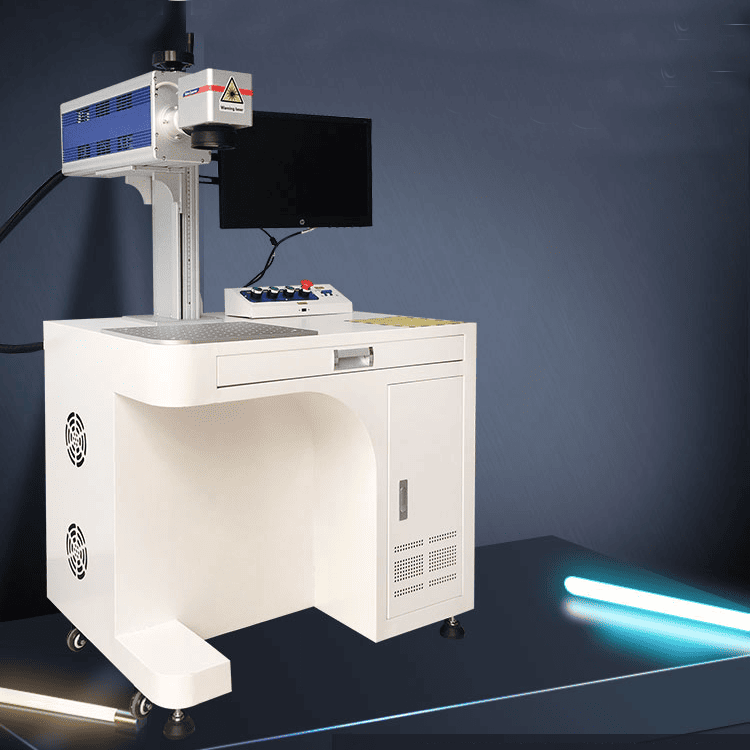
Root Causes of Burn Marks in CO₂ Laser Marking Processes
Thermal accumulation and flashback dynamics during CO₂ laser–material interaction
When a material absorbs more laser energy than it can get rid of as heat, we end up with what's called thermal accumulation. This leads to hot spots forming, especially noticeable during those long duty cycles where each pulse adds to the leftover heat from previous ones. There's also this thing called flashback dynamics where heat actually moves back along the treatment path, sometimes burning areas that were already processed. This tends to happen more often with materials that conduct heat well, like certain metal coatings for instance. Acrylic materials tend to build up heat about 38 percent quicker compared to regular wood because they don't spread out heat as efficiently. Most plastics start breaking down into carbon when temperatures stay above 150 degrees Celsius for too long. To stop this kind of chain reaction damage, operators need to find that sweet spot between how much power is applied and what each specific material can handle before needing some cooling time.
Edge burning, laser tail effects, and reverse-side marking across common substrates
Edge burning happens when the edges of engravings get charred, and this usually comes down to how the Gaussian beam works. The intensity profile of these beams tends to pile up energy right at the boundaries. When laser heads slow down or stop completely during operation, they leave behind extra heat that causes what we call tail effects. According to recent studies published in the Journal of Laser Applications back in 2023, around two thirds of all issues with marking aluminum parts come from these very tail effects. For materials thinner than 3mm, there's another problem called reverse side marking. Basically, the heat penetrates through and damages the other side of the material. This is something manufacturers see quite often with PET films and those thin wooden veneers. Different materials react differently too. Anodized aluminum seems particularly prone to edge burning problems compared to stainless steel, showing about 20 percent more susceptibility. On the flip side, dense hardwoods generally handle tail effects much better than those resin filled laminate products do.
Optimizing CO₂ Laser Marking Parameters to Prevent Burn Marks
Power–speed–focus triad calibration for acrylic, wood, and coated metals
Compensating for CO₂ laser tube aging and power drift in production environments
Carbon dioxide resonator tubes tend to lose around 6% efficiency each year, which leads to power drift problems showing up as uneven markings and subsurface burning issues, especially when machines run non-stop for long periods. Keeping an eye on power levels with closed loop monitoring systems makes sense these days. Most experts recommend setting alarms for when readings go over 5%, at which point it's time to recalibrate automatically. Maintenance schedules should definitely cover checking gas mixtures and testing mirror reflectance according to ASTM E2108 standards. Dirty optics can really eat into system performance, sometimes causing losses as high as 15%. For older equipment setups, there's still value in using software algorithms to compensate for power variations. This helps keep marking quality consistent across batches and has been shown to cut down on scrap materials by approximately 30% in large scale electronic component manufacturing facilities according to recent studies published in the Laser Processing Journal last year.
Thermal Management Strategies for Reliable CO₂ Laser Marking
Air assist optimization: pressure gradients, nozzle design, and cooling efficacy (ASTM F3294-22 aligned)
Getting the air assist right makes all the difference when it comes to controlling heat buildup, which is what causes those annoying burn marks and charred edges on materials. According to standard F3294-22 from ASTM, keeping pressures in the range of about 0.2 to 0.5 MPa creates this nice laminar flow effect that sweeps away debris and actually brings down temperatures near the work area by roughly 40 degrees Celsius. Most shops find that conical shaped nozzles work better than regular cylinders if they're held around 2 to 5 millimeters above whatever they're cutting. These cone shapes cut peripheral burning issues down by about a quarter because they direct more air around the actual spot where the laser hits. When working with acrylics or woods, many technicians prefer using nitrogen at flow rates between 12 and 18 liters per minute instead of just regular compressed air. This works especially well when paired with pulsed laser settings since it helps keep things from getting too hot. Keeping an eye on how aligned those nozzles are and making sure the gas stays clean isn't just good practice—it's practically essential for meeting thermal management requirements and avoiding those pesky marks that show up on the back side due to leftover energy bouncing around.
Material Preparation and Protective Measures in CO₂ Laser Marking
Masking tape vs. protective backing: residue, scalability, and reverse-side burn reduction (42% avg. improvement with PET-backed silicone tape)
How materials are prepared plays a big role in whether burn marks appear during production. Regular masking tape tends to leave behind sticky residue that needs cleaning after processing, plus it doesn't work well on rough or uneven surfaces which causes problems down the line. The good news is PET backed silicone tape solves both issues completely. Tests show around 42 percent fewer burns on the back side when using this type of tape because silicone acts as a better heat buffer between components. What makes this tape stand out is how it conforms to all sorts of shapes and sizes something regular rigid tapes just cant do. When looking for best results, go for those tapes where silicone layer sits directly on top of PET backing material. This setup helps spread out heat more evenly while still keeping markings clear and edges sharp throughout manufacturing.
FAQ
What is thermal accumulation in CO₂ laser marking?
Thermal accumulation occurs when a material absorbs more laser energy than it can dissipate as heat, leading to hot spots during prolonged duty cycles.
How can burn marks be minimized in CO₂ laser marking?
Burn marks can be minimized by optimizing power, speed, and focus settings, using air assist, and ensuring proper material preparation with tapes like PET-backed silicone tape.
What is the effect of air assist in laser marking?
Air assist helps control heat buildup by creating a laminar flow that sweeps away debris and reduces temperatures near the laser spot, preventing burn marks and charred edges.